
 Monitoring
Parental Control vs Child Protection: What Keeps a Child Safe
Parental control vs child protection are not the same thing, and most apps sell the first while parents need the second. Control answers “how much time, which apps, which sites”. Protection answers “who is talking to my child right now and what is happening around them”. Screen limits have never stopped a predator, a class chat or an adult waiting outside the school.
What parental control actually measures
Screen time, app usage, blocked domains, bedtime, purchase approval. All of it is about the child’s behaviour: what the child does with the phone. Useful — but it assumes the danger is the child’s own choice.
Where the real danger sits
- A stranger in a messenger who “understands the child better than the parents” and asks for a small favour.
- A class chat where humiliation arrives at 22:40, when no filter is watching.
- An adult near the school who asks a child for directions and then asks to get into the car.
- A “recommended” video that slipped past Restricted Mode in three clicks.
None of these are visible in a screen-time report. The UK’s Internet Matters and Australia’s eSafety Commissioner describe the same gap: online grooming happens inside normal, allowed apps, and cyberbullying rarely looks like a blocked site.
Protection = detect → verify → intervene
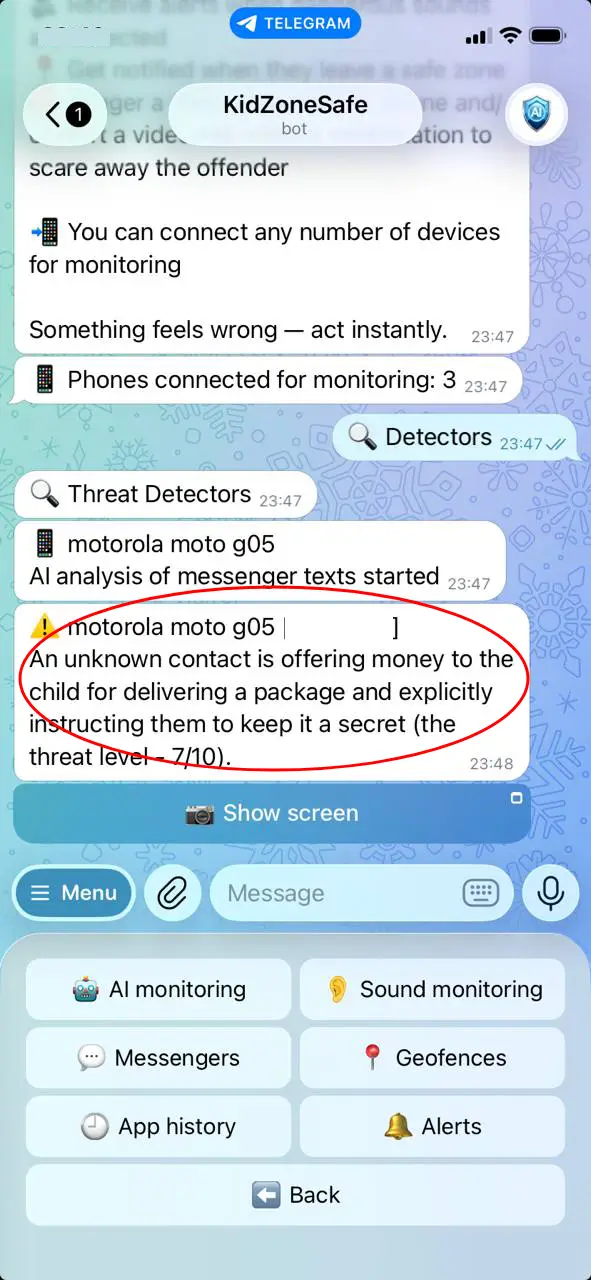
Protection is a chain: detectors (sounds and conversations near the child, texts in any messenger, geofence violations) → verification (live screen or camera, so the parent sees instead of guessing) → intervention (the parent’s voice through the child’s speaker, a siren, a log for the police). Control ends with a notification “time is up”. Protection ends with an adult in the situation.
Does that mean control is useless?
No. Limits reduce the number of hours in which something can happen, and they are the easiest conversation to have with a child. But a limit is a fence, and a fence does not notice who climbed over it. Keep the limits, add the detectors.
What to do this week
- Keep the screen-time rules you already have.
- Turn on the danger detectors, and set the alert threshold yourself — for example 6/10.
- Agree out loud when you will use live access, so the child is not surprised.
- Check that an alert really arrives in Telegram and that the live screen opens — a tool you have not tested is not a tool.
Common questions
Is protection the same as spying? No: spying is continuous watching without consent. Protection is a detector that stays silent until danger, plus a conversation about it. The difference is in the agreement, not in the technology.
Which is more important — control or protection? Protection, because the serious cases are not about minutes on the phone. But control is what makes the child’s phone predictable, and predictable is easier to protect.
Where do I start? With detectors and one honest conversation — the practical setup is in what an AI parental control app really detects.