
 Monitoring
Child Fight Filmed on a Phone: What Parents Must Do First
A fight that was filmed is two problems: the injuries and the recording. The recording outlives the bruises, travels through chats faster than any adult reaction, and in many countries distributing it is a separate offence. The first hour decides a lot: check the child’s health, keep the video, do not share it, and put the events in writing. Below: the first-hour steps, what to request from the school and the police, and what the phone could have done before the fight started.
Why the recording is both danger and evidence
For the child, the video is a second injury: it replays the moment and turns them into content. For the parent, the same video is evidence: time, participants, who filmed, who watched. So the rule is simple — keep the file, do not distribute it. Deleting it destroys the evidence; forwarding it does the bully’s work for them.
Source: eSafety Commissioner (Australia) — Cyberbullying: a guide for parents and carers.
The first hour: safety, then facts
- Check the child’s health. Head impact, loss of consciousness, breathing problems, any doubt — a doctor first, not a conversation.
- Do not demand “who started it”. Ask: where it happened, who was nearby, who filmed, whether anyone helped.
- Save the video and the messages — saved messages with dates, not “I saw it in the chat”.
- Write to the school the same day: a written report of the incident and a request to record it.
- If there are injuries or threats — contact the police and ask for the report number. In many countries a school fight with injuries is a police matter, not an internal one.
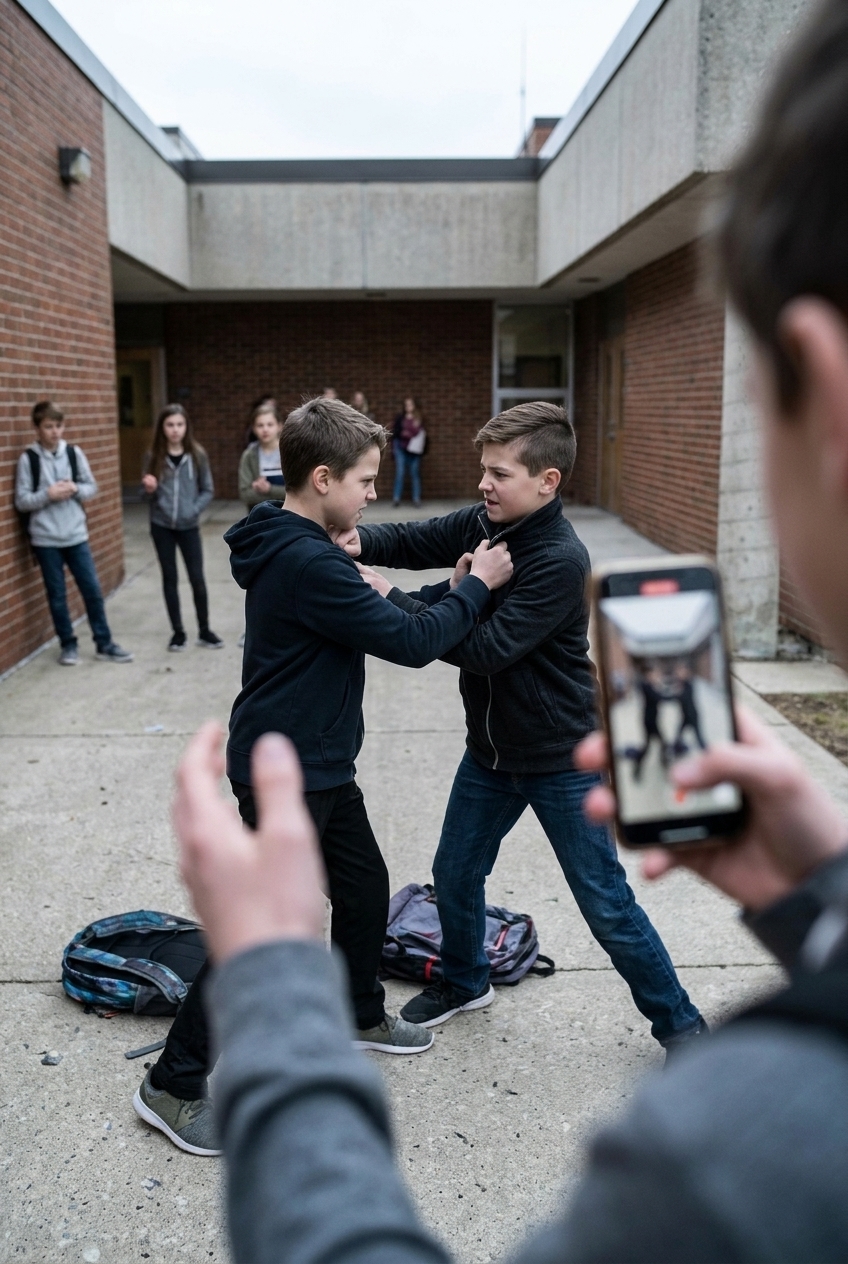
What the school must record — and what you should keep
Ask for a written record of the incident, the names of the staff who saw the aftermath, and the school’s anti-bullying policy. Keep your own copies of every message: schools change staff, and “we have no record” is the most common answer three weeks later.
What the phone could have done before the fight — and what it can do after
The fight is loud: shouting, a crowd, a scared child. That is exactly what the AI detector of sounds and conversations is built for. It runs on the child’s phone during the hours you set and scores what it hears from 0 to 10; when the score crosses your threshold, the parent gets an alarm. And here is the part that matters in a school corridor: with the Environment Control app the alarm does not depend on the internet — it can arrive as an SMS or as a call to the parent. If the internet is there, the parent also gets the short summary and the live view.
After the alarm, the parent can open the child’s camera and microphone one way — no confirmation on the child’s side — see who is around, how many, whether an adult is near, and turn on Intervene mode: the parent’s voice at full volume through the child’s phone, plus the siren. In an acute situation this interrupts the fight better than a call the child cannot answer. The service keeps a log: time, place, threat level and a short audio fragment, which is exactly what the school and the police ask for.
Install the Environment Control app on the child’s phone from the download page and link it to the parent account. Besides live access, the app is practically invisible in daily use: camera streaming works with the display off, the icon can be hidden, and the green camera indicator can be hidden too — so the app is not deleted in the first week.
How to talk to both children afterwards
With your child: sleep, food, “you are not the one who is guilty”. With the other child’s parents: facts and dates, not accusations in the class chat. If the school offers “a talk between the boys”, ask who leads it and what is recorded afterwards.
What KidZoneSafe cannot do
It cannot prevent a fight and cannot recognise faces in a crowd. It does not replace the school’s security or the police. There can be false alarms — a loud game sounds like shouting. Its job is narrower and honest: tell you in time, show you what is happening, and give you a way to intervene.
Common questions
Is a one-way camera opened legally? On your own minor child’s device, with the child informed that protection is installed — yes, in most countries this is normal supervision. Secretly recording other people’s conversations is a different matter; here the fragment is kept only when a detector fires.
What if the phone is off or discharged? Then nothing works — which is why the sound detector and the geofence matter: they often fire before the phone is switched off. See the phone as a protection tool.
Where is the whole model? In how to stop bullying in real time, sound and conversation analysis and Intervene mode.
Sources
- eSafety Commissioner (Australia) — Cyberbullying: a guide for parents and carers
- StopBullying.gov (U.S. government) — What is cyberbullying
- UNICEF — Cyberbullying: what it is and how to stop it