
 Monitoring
Dangerous Sounds and Conversations: What the AI Detector Hears
Analysis of dangerous sounds and conversations is the part of parental AI that almost nobody offers. Messenger scanning exists in many apps; but a child standing in a school yard, walking home or sitting in a car does not write messages — there is only sound around them. That is where KidZoneSafe listens, and only there.
Why text analysis alone is not enough
A predator does not always text. The classic case from our own demo: an unknown adult asks a child for directions to the shop, then asks the child to come closer and get into the car. No message was typed. What existed was a conversation, and a detector that reads the situation around the child could still score it 8 out of 10.
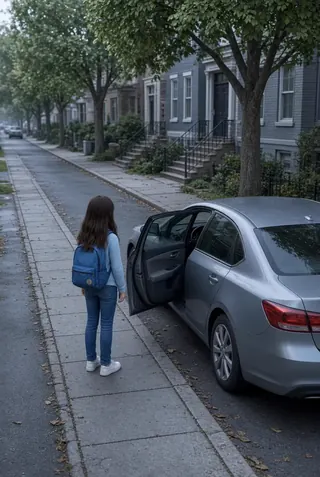
What the detector actually listens for
- Screaming, fighting, a crying child, sounds of impact.
- An adult talking to a child in a way that does not fit the situation.
- Combinations: a raised voice plus a child’s voice answering briefly.
- The service separates adults from children by voice; multi-voice recognition can be enabled for a more precise analysis.
Not continuous listening: hours and threshold
The analysis works only during the hours the parent sets — breaks, lunch, the way home — and only on the child’s phone, where the parent installed the app as the legal guardian. The result is a threat score from 0 to 10; the parent sets the threshold at which the phone must ring. This is not a microphone in the room: it is a filter for one specific question — does this sound like danger.
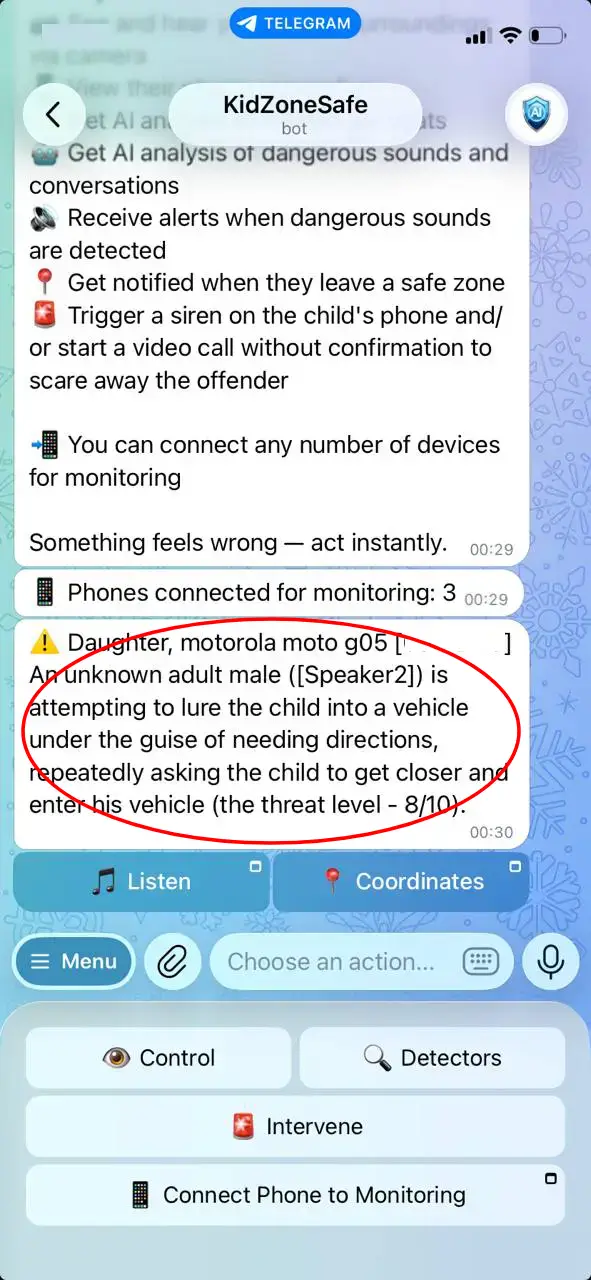
What happens after the alert
- The parent verifies: live screen or camera, to see the situation instead of guessing.
- Intervenes if needed: the parent’s voice through the child’s speaker, a siren.
- Keeps the log: time, place, threat level and the short audio fragment that triggered the alert — one tap sends it to the police.
For comparison, a phone SOS button is useless in a real threat: the child is in no position to press it. The detector does not need the child to act.
Where it fits with the other detectors
Sounds and conversations cover the street, the yard and the car. Texts in messengers cover chats. Geofence analysis covers “not at school, not moving, listening to music — level 1/10”. Together they answer not only “where is the child” but “what is happening”. The full set is described in what an AI parental control app really detects.
Independent guidance points the same way: the Australian eSafety Commissioner describes grooming as a process that often happens without any text at all, and StopBullying.gov notes that most incidents are seen by bystanders before adults hear about them — which is exactly why a detector that listens to the situation matters.
What it cannot do
- Read thoughts or predict intent — it scores what it hears.
- Work without permissions: Android does not allow silent listening.
- Be right every time: false positives exist, and the threshold is how you manage them.
- Replace a conversation with the child about what happened.
Common questions
Does it record all conversations? No. Only the short fragment that triggered an alert is kept, and only when the detector fires.
Does it work without internet? The basic detector runs on the phone: without a connection the alert still comes by SMS or call — just without the extra AI summary.
Is it legal? On your own minor child’s device, with the child informed, in most countries this is normal parental supervision. The limits are described in hidden parental control app for Android.